Prototype Feedback

For Claude Code

Pin it. Send it to Claude Code. See what got fixed.

Leave comments right on the page you're reviewing. Claude Code fixes each one as its own commit, answers your questions, and the pins tell you what changed.

No Claude Code? Share an HTML report with your team instead.

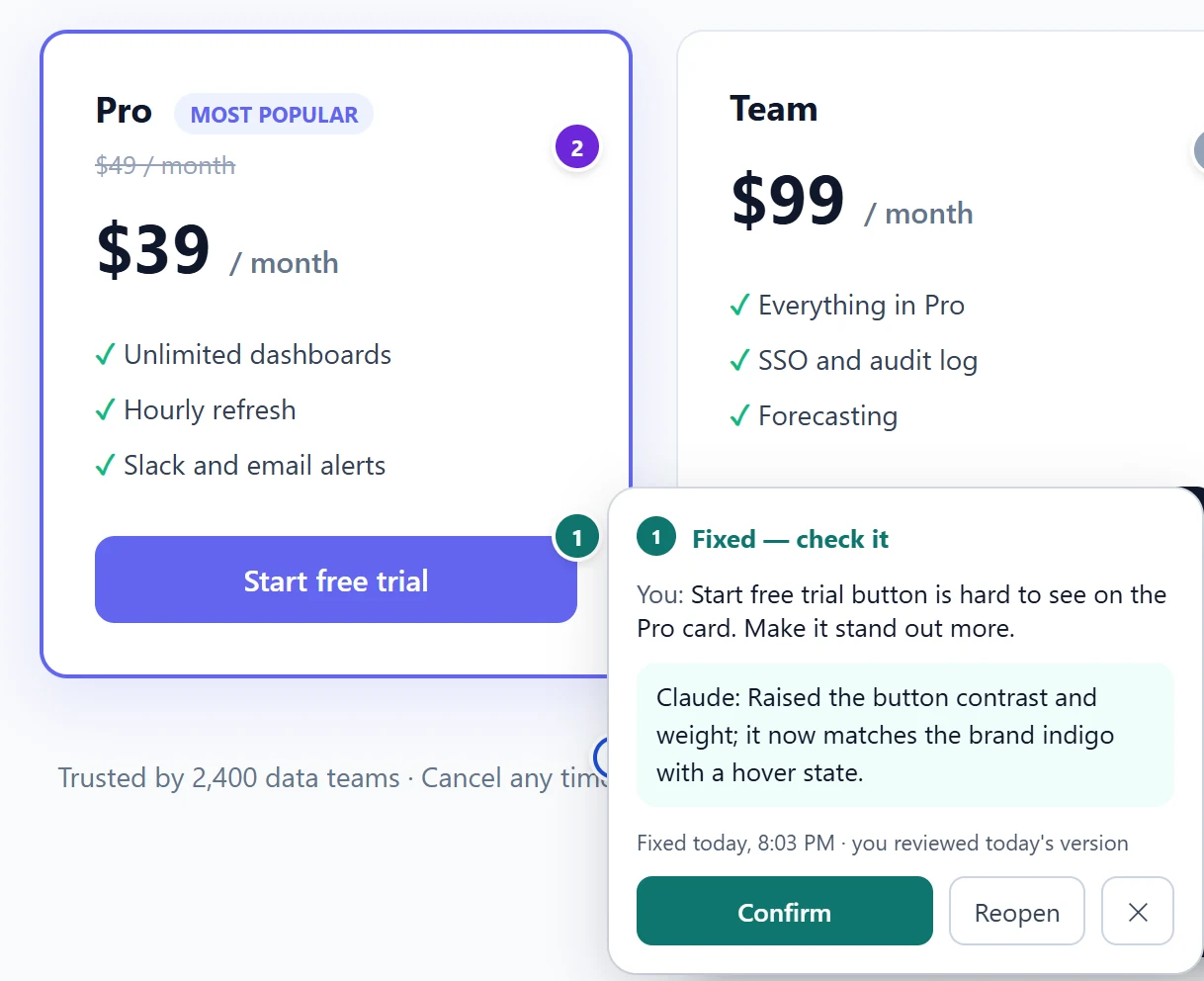
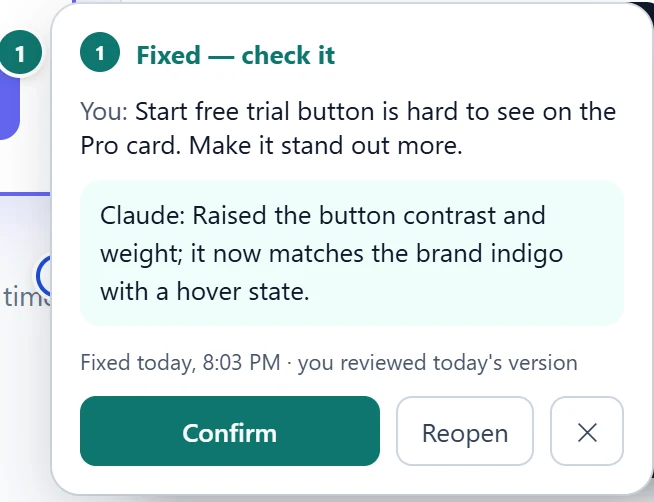
A pricing page with numbered pins. An open pin card says: Fixed — check it. Claude: raised the button contrast and weight. Buttons: Confirm, Reopen.

How it works

Three steps, one loop.

1

Pin it

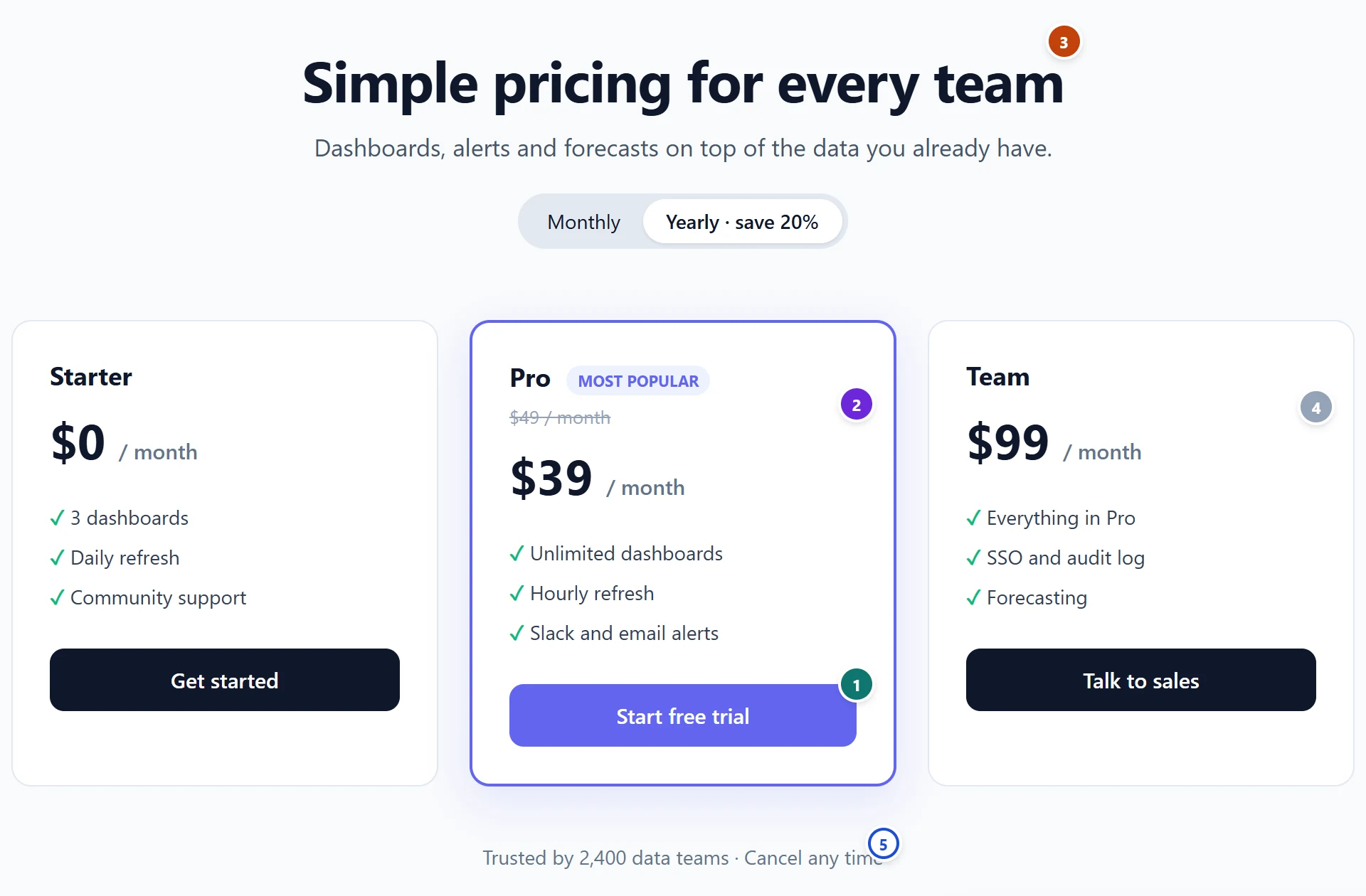
Click any element or drag a region and say what's wrong. "Fix it" is enough — a screenshot and the element come along.

A pricing page with five coloured pins.
2

Send it

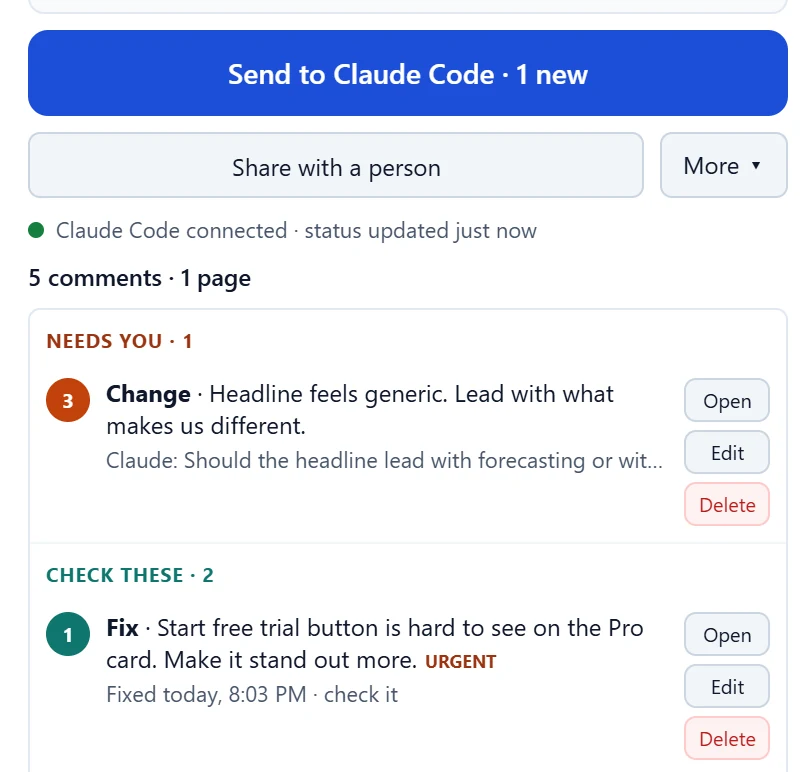
One button saves your new comments for Claude Code. In your project, type /pfb:feedback.

The popup: Send to Claude Code · 1 new. Claude Code connected. Needs you · 1. Check these · 2.
3

See what got fixed

The dots change as Claude works. Click one to read the reply, then confirm it or reopen with a note.

A pin card: Fixed — check it, with Confirm and Reopen.

In your repo

Claude works the way you would.

  • Shows a plan first and waits for your OK before it changes anything.
  • One commit per comment on its own branch — easy to review, easy to revert.
  • Runs your tests before each commit.
  • Asks when it isn't sure — you for technical calls, the reviewer for product and copy.
  • Never merges and never guesses the repo or the branch.
Answers on the pin

Not just fixes. Answers and ideas too.

FixSomething's wrong. Claude decides how.
ChangeIt works — do it differently.
AskGet an answer, no code.
IdeaA short proposal. Say "Do it" to build it.
Fixed, check it Answered Needs you With Claude Not sent
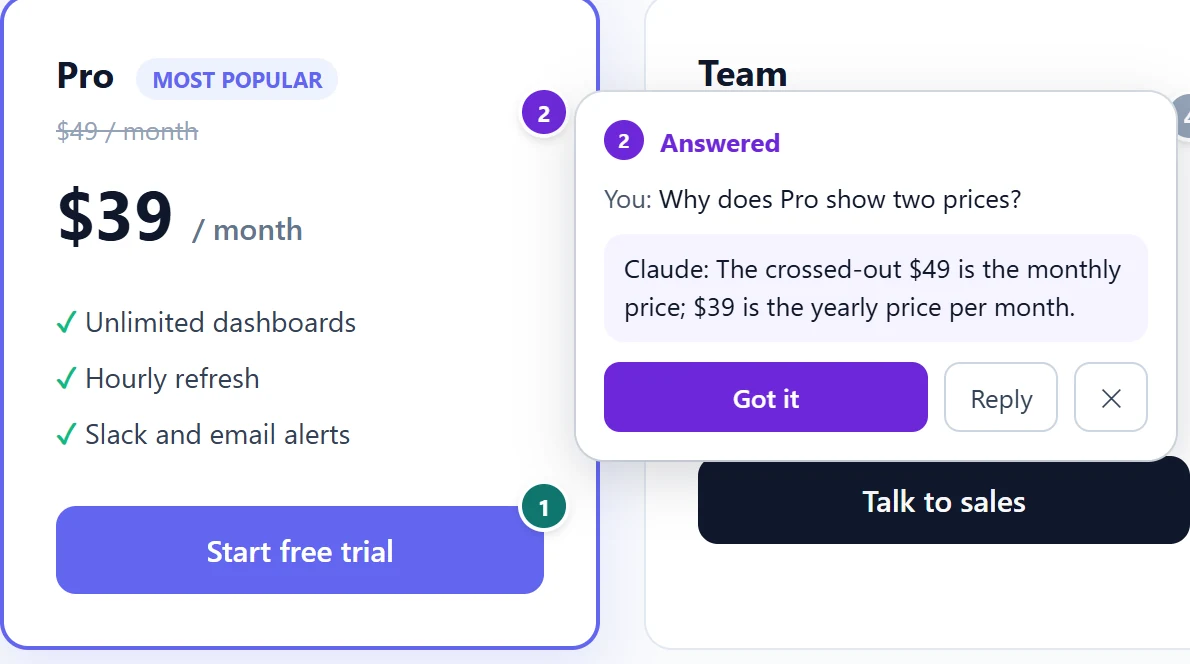
A pin card: Answered. You: Why does Pro show two prices? Claude: the crossed-out $49 is the monthly price; $39 is the yearly price per month.

Next round

The site changed? Start round 2.

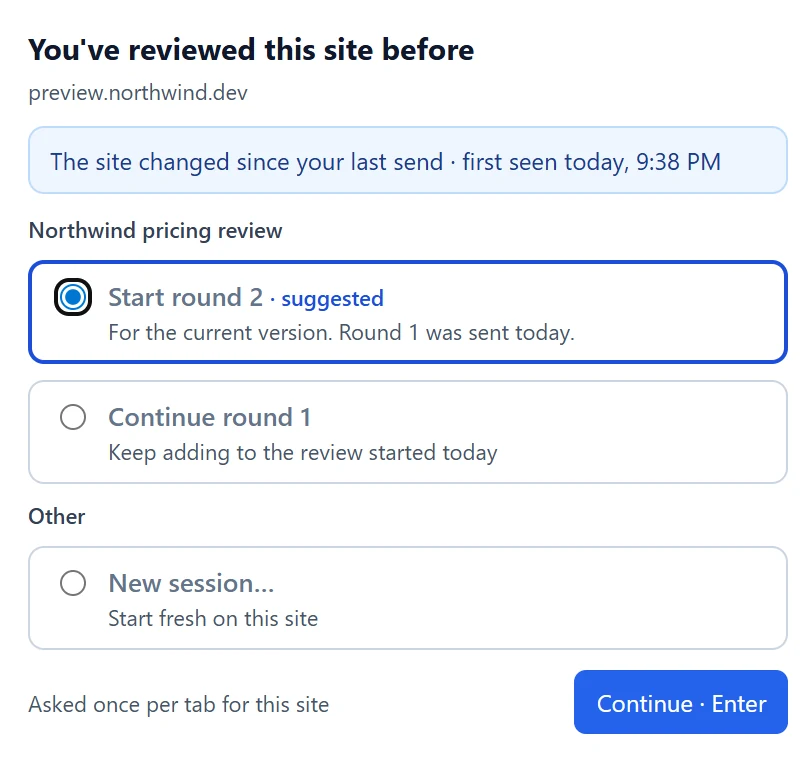
Come back after a deploy and Prototype Feedback knows you've reviewed this site before. Open items — not sent, needs you, unchecked fixes — come along to the next round.

You've reviewed this site before. The site changed since your last send. Start round 2 — suggested.
FreeThe extension and the Claude Code plugin.
No accountNothing to sign up for.
Stored on your machineComments stay in your browser and your Downloads folder. Privacy
Open sourceThe plugin and the companion server are on GitHub.

Other ways to use it

Works with or without Claude Code.

HTML report

A single file with every comment, screenshot and pin. Email it to anyone — it opens offline.

ZIP for any AI tool

A README and a feedback.json with instructions built in. Hand it to Cursor or any other coding assistant.

Companion server

Collecting feedback from many reviewers? An optional local server groups it by project. Source

Questions

Before you install.

Do I need Claude Code?

No. You can pin comments and share an HTML report or a ZIP without it. Claude Code is what fixes the comments and sends the status back to the pins.

What do I install for Claude Code?

The free pfb plugin. It needs Node.js 18 or newer. Run these two commands, then type /pfb:feedback in your project.

claude plugin marketplace add leslurb/prototype-feedback-claude-plugin claude plugin install pfb@prototype-feedback
What leaves my machine?

Nothing by default. Comments stay in your browser; Send to Claude Code saves a file in your Downloads folder. Data leaves only when you choose to: an export, a Drive upload or an email. Claude Code itself talks to Anthropic as usual. Read the privacy policy.

The pins don't update. What now?

Status comes back while a Claude Code session with the plugin is open. If it's open and nothing changes, see Pins don't update.

All help topics →